





Pinokio
FeedApps
Download Pinokio
Sign inCreate accountJoin

Apps

Announcements

View all

Updates from app maintainers.

MuScriptorFeatured
@cocktailpeanut•1h ago
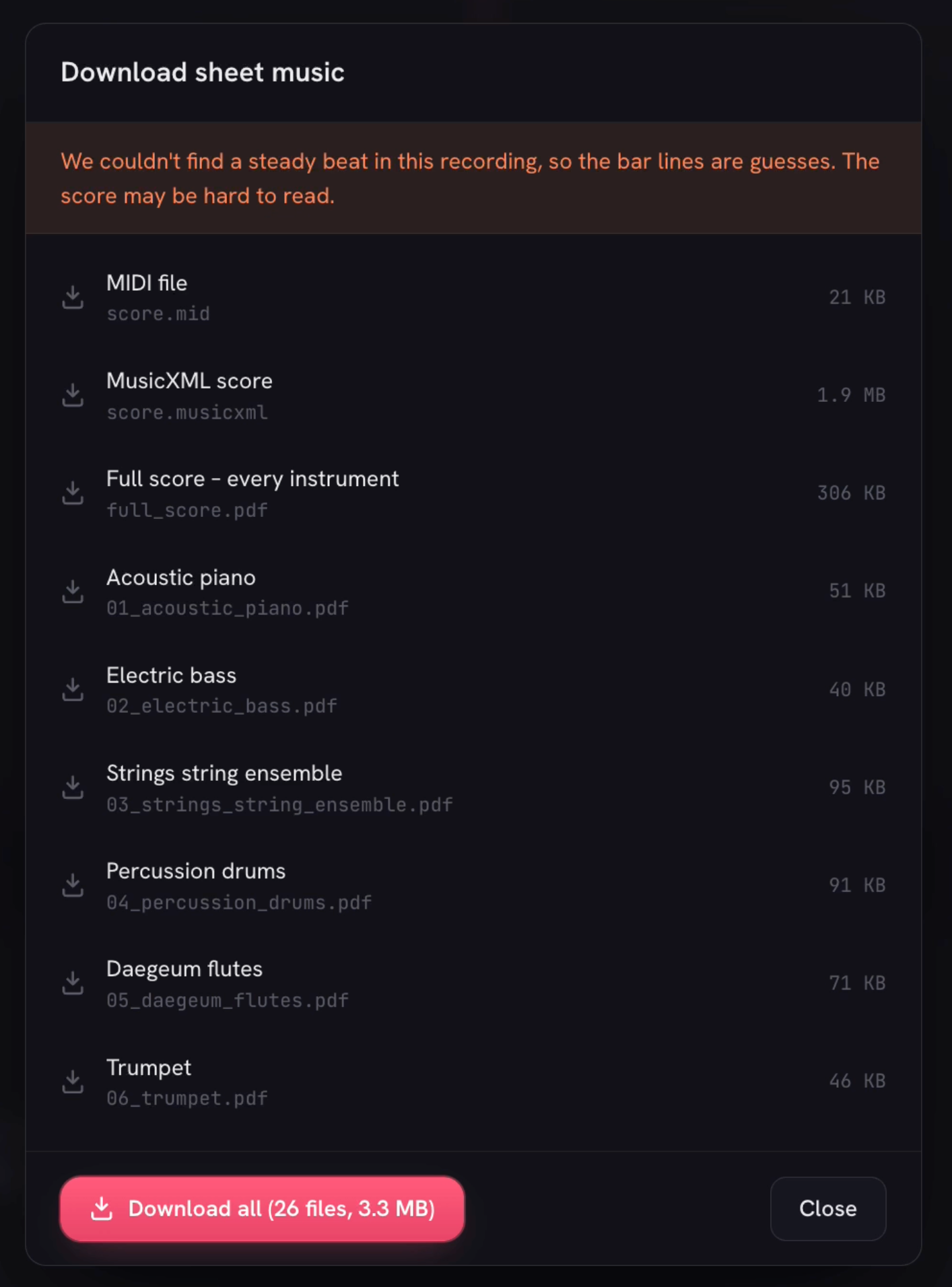
Generate sheet music from audioJust updated the MuScriptor launcher to support the latest version, which now lets you not only generate MIDI files, but also a whole sheet music PDF file. Example: Here's how it works: https://pinokio.co/posts/01m4bpq0mn0x4zftyz42fetwsa Here's the full list:
Freebuff
@morpheus•2h ago
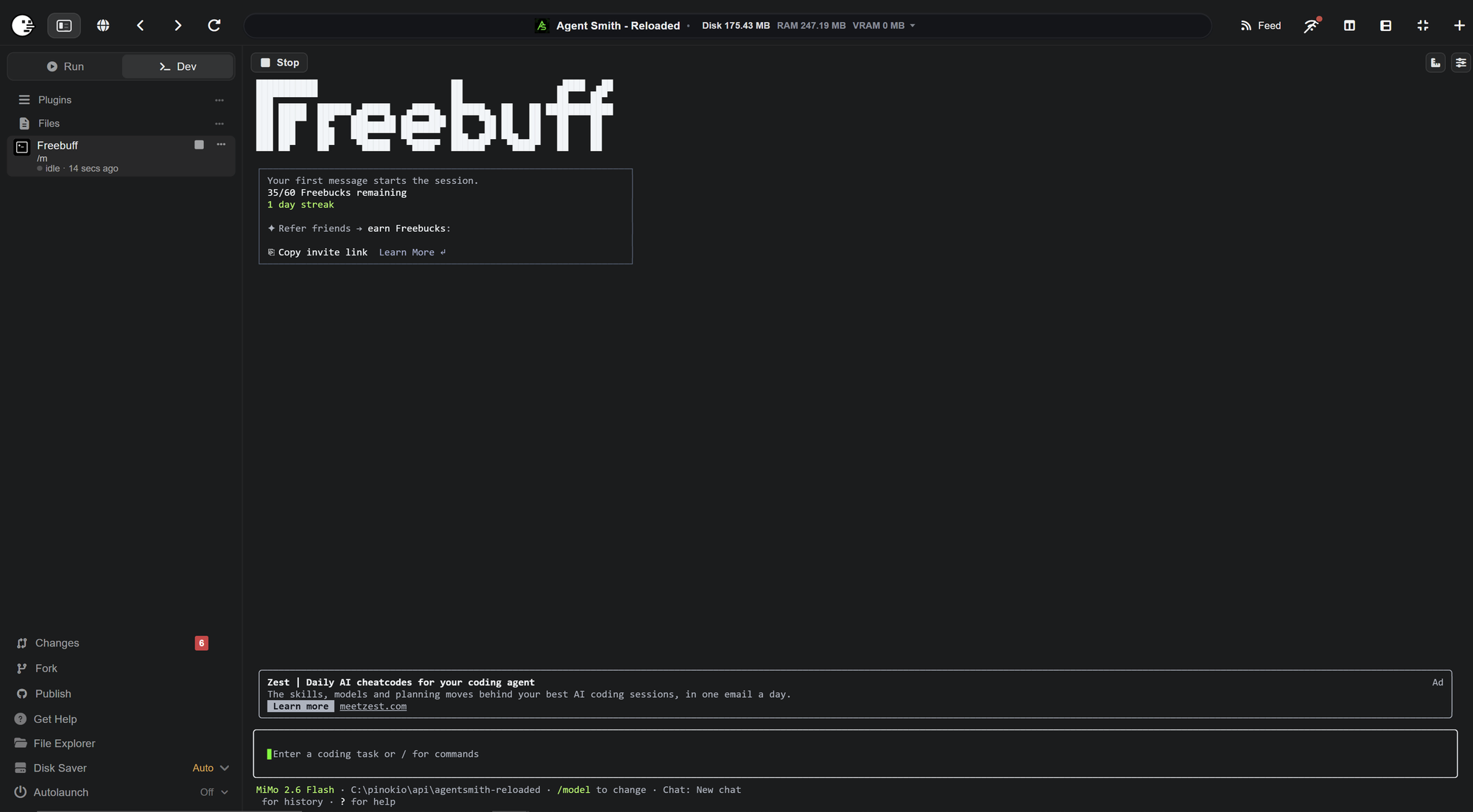
Use frontier models as agents in pinokio for freeFreebuff is a plugin you can use in pinokio. Unlike other plugins like Codex, Claude Code or Antigravity, you can use it for free. No payed subscription needed. Freebuff also has no token limit. Instead it has a time limit. How does it work? Depending on your country you have a limited amount of Freebucks . It gets refilled every day . Each model uses a certain amount of Freebucks / hour.& x20; If you used all your Freebucks, you have to wait until the next day. You can switch the model anytime during your session. These "prices" will vary from time to time. Some models can be used without any limit! Current list of Models with their Freebucks / hour consumption. How to install Plugins can be installed like any other app in pinokio. Just click on Freebuff in this post, click the Install button on the left side and install the latest version. Other than apps, Plugins will not appear on your main screen of pinokio but on the Plugin page you can access on the left side menu of pionkio. How to use - & x20;Click Plugin on the left side menu - Select Freebuff in the list of plugins. - On the following page you need to Install Freebuff the first time. - After the installation you can Open it in any project folder - The first time you use Freebuff you are requested to create an account for free and connect it with the cli After that you can start troubleshooting, asking, creating new features for the project you opened Freebuff in. If you want to build new apps, you can use the Create button in the left side menu on the main page of pinokio. Click Create app , select Freebuff, enter a folder name for your project and start building a new app from scratch.
FaceFusion 3.9.1Featured
@henryruhs•5h ago
One year of development has led to this moment: FaceFusion v4 beta is available now, and it is by far the biggest step in the history of the project. To celebrate the release and get developers building on it, we are kicking off the FaceFusion v4 Challenge, where everyone is invited to bring their ideas to life. https://github.com/facefusion/facefusion/tree/v4-challenge
PhospheneFeatured
@bizarro•1d ago
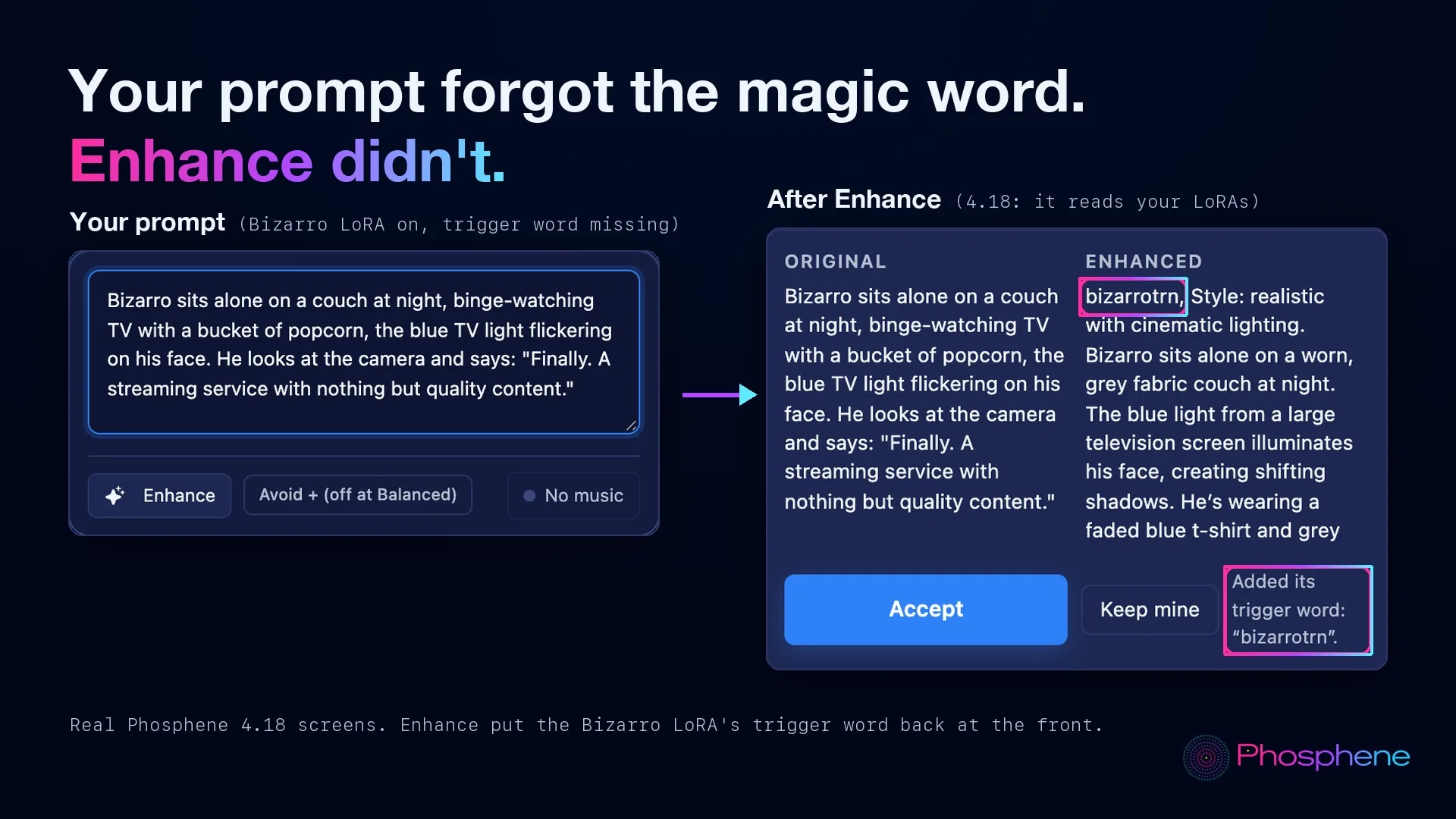
Phosphene 4.18 - Play all, and your audio goes where it is neededPlay all. One button and your whole gallery plays by itself, full size: every clip once, every photo a few seconds, every song to the end, and the controls fade away. Bizarro finally found a streaming service with nothing but quality content. Use this audio for... Any song in your Outputs goes straight into Lip-sync, a Music video, a video's soundtrack or a Music Studio cover, in one click. We sent "Forty Frames To Go" to a marble bust. It did not hold back. Enhance knows your LoRAs. Your prompt forgot the magic word. Enhance didn't: it reads the LoRAs you switched on and puts their trigger word back. Also in 4.18: - A CivitAI LoRA download shows how far it is ("Downloading 41% - 120 of 290 MB") and has a Cancel button that keeps nothing half-downloaded. - The little messages at the bottom of the screen have their words back ("Moved to Trash", "Hidden", errors) - they were blank since 4.17.0. Press Update in Pinokio, then restart. Full notes: https://github.com/mrbizarro/Phosphene/releases/tag/v4.18.0
MaestroFeatured
@blizaine•2d ago
Maestro v2.6.0 is out! Live Preview & Reference Mode long videosMaestro v2.6.0 is out! MiniMax H3 Reference Mode now supports long videos (like this stock footage) & Maestro auto-splits across seamless windows. Combine w/ Character Swap LoRA; keep the background true, or add effects.& x20; Maestro v2.6.0 Updates: • Live generation previews: Watch motion develop while rendering, with looping Tiny VAE video, pause/resume, and mobile playback. Now enabled by default. Can be turned off in settings. • Bring your own H3 checkpoints: Download compatible community models directly from the Model Browser, via URL or CivitAI, including INT4 and GGUF, with verified recipes and automatic workflow setup. • Long reference videos across windows: Load a longer source video and have Maestro advance through it window by window. Control videos and timeline soundtracks follow along, and Auto duration can follow the source.& x20; • Object and sound-effect references: Give Maestro an AT-AT image to preserve its design, or a laser-blaster sample to guide matching generated effects across windows. • LongCat in Avatar mode: A dedicated home for character animation, with anchor images, voice inputs, and single- or multi-speaker controls.
MiniMax H3 Studio
@mvrdvk•3d ago
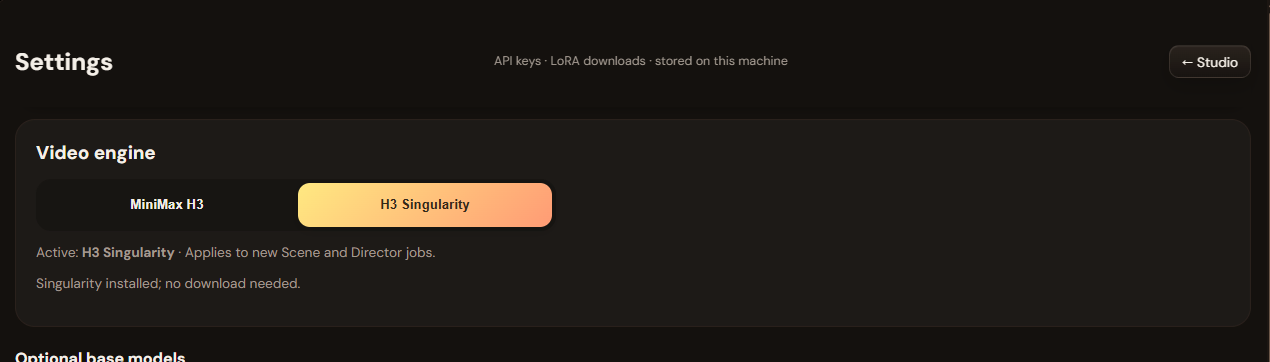
H3 Studio Singularity Update (v2026‑10‑04)A major update focused on film planning, character workflows, and reference control. - AI Director: Enter your story and target duration to create character cards, locations, and editable scenes directly inside Studio. No external JSON workflow required. - Character LoRA mode: Assign a compatible character LoRA, retain the character’s name and voice settings, and exclude previously generated card images while enabled. - Organized LoRAs: Categorized selectors, automatic trigger words from available metadata, and independent weights for up to three adapters. - Asset references in Scene and Director: Select characters, locations, creatures, and vehicles for production. Vehicle sheets include front, rear, left, and right views. - Shot review: Check your written plan and preview suggested repairs before applying them. - Optional H3 Singularity: Switch the main model from Settings. Singularity requires a separate download and remains experimental. - Interface improvements: Responsive LoRA cards, wider Settings forms, improved image deletion, and expanded English/Turkish translations. Updating: Stop Studio, select Update in Pinokio, restart, then refresh your browser with Ctrl+F5 . AI Director requires a configured LLM provider. Character likeness and continuation quality depend on the model, adapters, and references used.
Type:api
apipluginAll
Platform:All
AllmacOSWindowsLinux
GPU:All
AllNVIDIAAMDApple
Sort by
RecommendedLatestCheck-ins
#ai191#tts60#image-generation46#video-generation40#136#utility35#music33#próba27
PulseForgeFeatured
A fully local, cross-platform audio visualizer editor. Create reactive music videos with layered graphics, AI-transcribed lyrics, and frame-perfect MP4 exports — all running in your browser
TheAwaken1/PulseForgev5.0updated 10d ago
#music#audio-visualization
@theawakenone2 check-insNVIDIAAMDApple
theDAWFeatured
Full-featured DAW, DJ, and VJ app interoperable w/Ableton, Reaper, Resolume & more. Stable Audio 3, Magenta RT2, Lyria 3 Pro, Suno API, Chimera track fusion, Demucs stems, MIDI generate/notate, rule-based composer (harmony, counterpoint, fugue), orchestra sound bank w/concert-hall reverb, VST3 instruments, MPE, native Audima Labs Sway support, img > spectrogram > music, drawing > music, VST3 & .gan plugins, automix & key-lock, GLSL shaders, volumetric video, Quest 3 XR interface, MIDI auto-map, RAG assistant, asset library with example projects
gantasmo/theDAW-Pinokiov7.0updated 1d ago
#music#daw#music-studio
@gantasmo7 check-insNVIDIAAMDApple
God's Eye ViewFeatured
A live 3D intelligence console for planet Earth.
bilawalsidhu/gods-eye-viewv3.6updated 2 min ago
#god's-eye-view#godseye#osint
@bilawalsidhu329 check-insNVIDIAAMDApple
MiniJamFeatured
Describe any song in plain English, compose a structured caption and lyrics locally, and generate it with MiniMax Music 3.
cocktailpeanut/minijamv7.0updated 1mo ago
#music-generation#ai#musicgen
@cocktailpeanut1 check-inNVIDIAAMDApple
MiniMax H3 ComfyUIFeatured
MiniMax H3 omni-modal video generation in ComfyUI. Text/image/video/audio in, video with native 32kHz stereo audio out (768p default, 1080p+ supported). Disk-optimized: pruned INT8 + NVFP4 weights (~63GB instead of ~290GB). NVIDIA only.
ThomasEricB/minimax-h3-pinokiov8.0updated 18d ago
#minimax#video-generation#comfyui
@thomas_eric48 check-insNVIDIAAMDApple
SongGeneration StudioFeatured
AI Song Generation with Full Style Control - Generate complete songs with lyrics, vocals, and instrumental tracks using Tencent AI Lab's SongGeneration (LeVo) model. [NVIDIA ONLY]
6Morpheus6/SongGeneration-Studiov3.7updated 5d ago
#music#song#audio
@morpheus20 check-insNVIDIAAMDApple
ai-toolkitFeatured
AI Toolkit by Ostris
pinokiofactory/ai-toolkitv3.7updated 2d ago
#ai#trainer#training
6 check-insNVIDIAAMDApple
AgentsViewFeatured
Browse, search, and analyze sessions from Claude Code, Codex, and other coding agents locally.
cocktailpeanut/agentsview.pinokiov8.0updated 2mo ago
#claude#agent#agents
@cocktailpeanut5 check-insNVIDIAAMDApple
GeoLibreFeatured
A free, open-source GIS for visualizing, exploring, and analyzing geospatial data locally in your browser.
cocktailpeanut/geolibre.pinokiov7.0updated 2mo ago
#gis
@cocktailpeanut4 check-insNVIDIAAMDApple
Uncensored Local StudioFeatured
Run image generation, GGUF language models, Whisper speech recognition, and Kokoro speech synthesis locally from one offline studio.
cocktailpeanut/uncensored-local-studio.pinokiov8.0updated 12d ago
#image-generation#llm#ai
@cocktailpeanut29 check-insNVIDIAAMDApple
MuScriptorFeatured
Local multi-instrument audio-to-MIDI transcription from Kyutai and Mirelo.
cocktailpeanut/muscriptor.pinokiov8.0.0updated 1h ago
#music#audio#midi
@cocktailpeanut21 check-insNVIDIAAMDApple
MaestroFeatured
An all-in-one, 100% local AI creative studio, director, and multi-track editor. Generate with MiniMax H3, LTX-2.5/2.3, Wan, Flux, Qwen, and more; turn an idea or song into a planned production; then finish it on the timeline. Requires an NVIDIA GPU (6GB+ VRAM).
Blizaine/Maestrov8.0updated 6h ago
#maestro#video-generation#music
@blizaine247 check-insNVIDIAAMDApple
UnderfitFeatured
LoRA fine-tuning dashboard for Stable Audio 3
cocktailpeanut/underfit.pinokiov7.0updated 2mo ago
#lora#music#ai
@cocktailpeanut6 check-insNVIDIAAMDApple
StableDAWFeatured
Browser-based AI audio DAW for Stable Audio 3 with text-to-audio, inpainting, LoRA training, FFmpeg effects, waveform editing, sequencer, piano roll, and persistent library. https://github.com/gantasmo/stabledaw
cocktailpeanut/stabledaw.pinokiov7.0updated 1mo ago
#audio#daw#music
@cocktailpeanut26 check-insNVIDIAAMDApple
Image to PromptFeatured
Generate editable Ideogram JSON prompts from uploaded images.
cocktailpeanut/image-to-promptv7.0updated 10d ago
#ideogram#ai#prompt-helper
@cocktailpeanut10 check-insNVIDIAAMDApple
IdeopromptFeatured
Describe an image, get a 100% schema-valid Ideogram 4 JSON prompt — generated fully locally with an embedded llama.cpp (no Ollama or LM Studio required).
cocktailpeanut/ideopromptv7.0updated 2mo ago
#prompt-helper#ai#prompting
@cocktailpeanut1 check-inNVIDIAAMDApple
Wan2GP - AMDFeatured
[AMD ONLY] Super Optimized Gradio UI for AI video creation for GPU poor machines (6GB+ VRAM). Supports Wan 2.1/2.2, Qwen, Hunyuan Video, LTX Video, Flux and more. (On Windows supported by all dedicated AMD GPUs from RDNA 2 - RDNA 4)
6Morpheus6/wan2gp-amdv8.0updated 1d ago
#video-generation#wan2gp#video
@morpheus188 check-insNVIDIAAMDApple
OdysseusFeatured
Self-hosted AI workspace for local-first chat, agents, tools, memory, research, documents, email, and model endpoint management.
cocktailpeanut/odysseus.pinokiov7.0updated 12d ago
#odysseus#agent#ai
@cocktailpeanut13 check-insNVIDIAAMDApple
SearXNGFeatured
A privacy-respecting metasearch engine that runs locally.
cocktailpeanut/searxng.pinokiov7.0updated 3mo ago
#search#searchengine
@cocktailpeanut7 check-insNVIDIAAMDApple
TripoSplatFeatured
Image-to-3D Gaussian splat generation from VAST-AI-Research. Requires a CUDA-capable GPU.
cocktailpeanut/triposplat.pinokiov7.0updated 2mo ago
#3d#gaussian#3dgen
@cocktailpeanut5 check-insNVIDIAAMDApple
Previous
12345...9
NextPage 1 of 9

Global feed

Latest posts from the community.

Descargar pinokio
@robertod_perez2026 · Community1
Como descargar pinokio full.para windows
Generate sheet music from audio
@cocktailpeanut · MuScriptor
Just updated the MuScriptor launcher to support the latest version, which now lets you not only gener...
MuScriptor now lets you generate not just MIDI but also PDF sheet music
@cocktailpeanut · MuScriptor
God's Eye View: npm error [Error: EPERM: operation not permitted, unlink 'C:\pinokio\api\gods-eye-view.git\node…
@nadsonsz · God's Eye View
App: God's Eye View (gods-eye-view.git) Repo: https://github.com/bilawalsidhu/gods-eye-view.git Gener...
Checked in to God's Eye View.
@matroz · Community
More

Global radar

Projects getting attention.

Followed·1 min
MiniMax H3 Studio
1-click MiniMax H3 video in ComfyUI plus H3 Studio: local T2V/I2V, references, continuation, Gallery, Director/Cinema and TR/EN. NVIDIA GPU.
Followed·2 min
AgentsView
Browse, search, and analyze sessions from Claude Code, Codex, and other coding agents locally.
Followed·4 min
3D Gen Studio
Local web UI for orchestrating 3D generation pipelines via ComfyUI / Tripo / Tencent. https://github.com/visualbruno/3DGenStudio
Followed·5 min
Wan2GP
1-click WanGP Launcher. Super Optimized Gradio UI for AI video creation for GPU poor machines (6GB+ VRAM). Supports Wan 2.1/2.2, Qwen, Hunyuan Video, LTX Video and Flux. https://github.com/deepbeepmeep/Wan2GP
Followed·5 min
God's Eye View
A live 3D intelligence console for planet Earth.
More
Pinokio
PrivacyTerms
FeedApps